MoveML / Embodied machine learning2026

Machine learning starts
with a movement.

A classroom platform where children train a shared machine-learning model with their own gestures, and discover how their data shapes what it learns.

Interaction designLearning through movementResearch prototype
Product video of the MoveML classroom activity.

My role

User experience, interaction design, front-end development
user study, evaluation analysis, wearable concept

Context

Innovation Project, Aarhus University

Team

Tobias Bak
Mindan Chen
Peter Mærsk Clausen
Daniel Anker Poulsen

From “the computer got it wrong”
to “what did we teach it?”

MoveML turns the whole class into a source of training data. Children wear micro:bit wristbands, record movements and test a model built from everyone’s samples. A shared teacher display makes its behaviour available for discussion.

The work covered the student and teacher interfaces, front-end components built on an existing React and Chakra UI foundation, the storyboard for the session flow, and analysis of the evaluation findings. The Animal Buddies wearable concept came after the study.

Background / Why MoveML

Children already live with machine learning.
They are rarely shown what it runs on.

Recommendation feeds, voice assistants, camera filters and smart watches are all machine learning, and all of it is invisible at the point of use. Where ML does get taught, it is usually taught as a finished black box: here is a model, here is what it predicts.
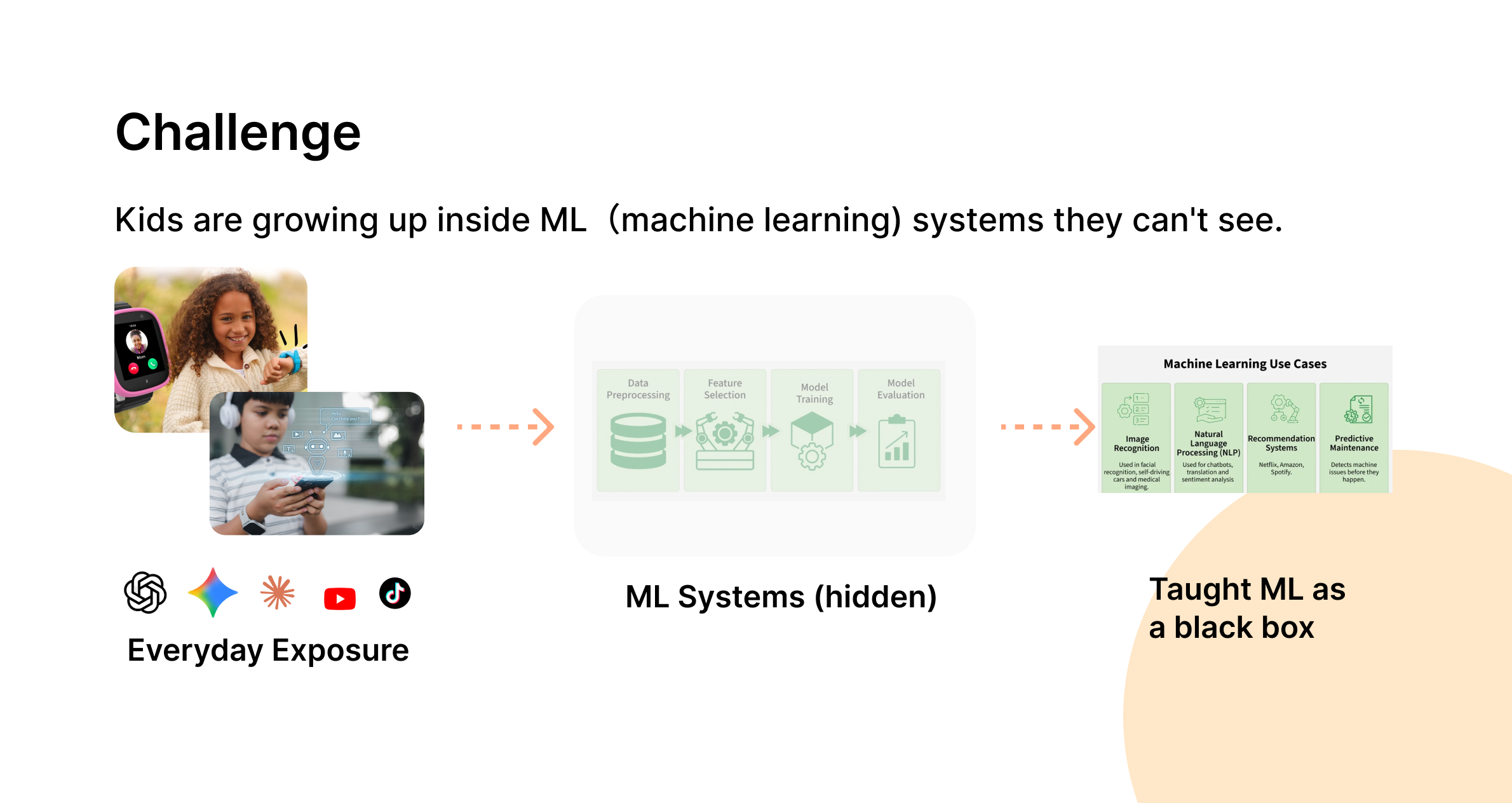
The challenge: children are growing up inside machine-learning systems they cannot see. Everyday exposure through apps and devices feeds hidden ML systems, which are then taught as a black box.
Everyday exposure, hidden systems, and a black box in the classroom.

Four tools teach children to train a model. None shows them what shapes it.

The benchmark covered the four tools children already use, which are Google Teachable Machine, Machine Learning for Kids, LearningML and micro:bit CreateAI. It showed how much they already get right.

  • Browser-based, with a low barrier to entry.

    A child starts training within minutes.

    Google Teachable Machine
    Machine Learning for Kids
  • Step-by-step worksheets written for teachers.

    They make machine learning classroom-ready.

    Machine Learning for Kids
    LearningML
  • Embodied data from micro:bit hardware.

    A model becomes something you feel, not only something you see.

    micro:bit CreateAI

What none of them answers is the next question. All four solve how do kids train a model? None solves how do kids notice what shapes the model? Training is individual: one learner records their own data, tests it, and never sees how their examples compare with anyone else’s.
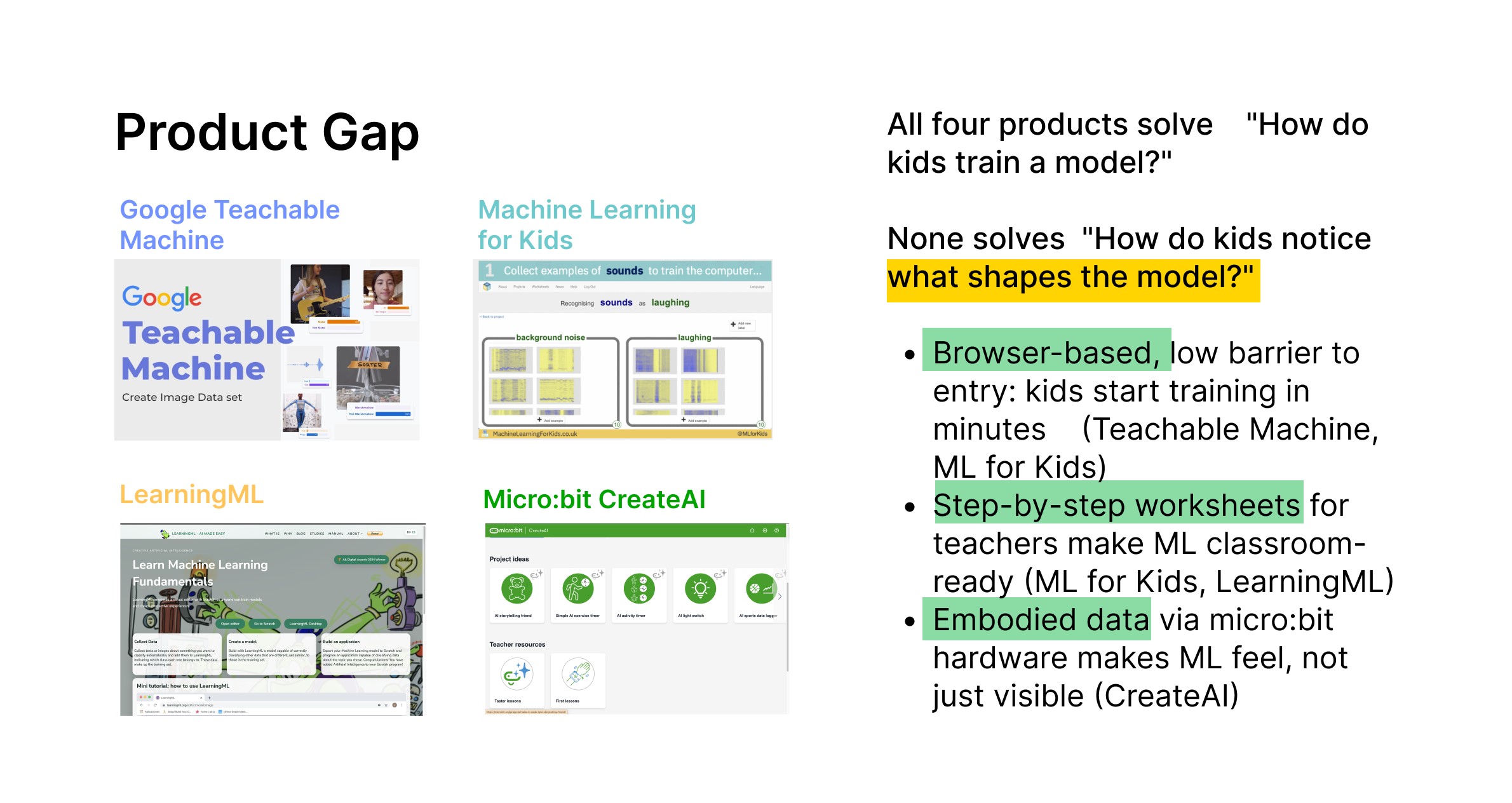
Product gap: Google Teachable Machine, Machine Learning for Kids, LearningML and micro:bit CreateAI all answer how children train a model, but none answers how children notice what shapes the model.
The four tools benchmarked, and the question none of them asks.
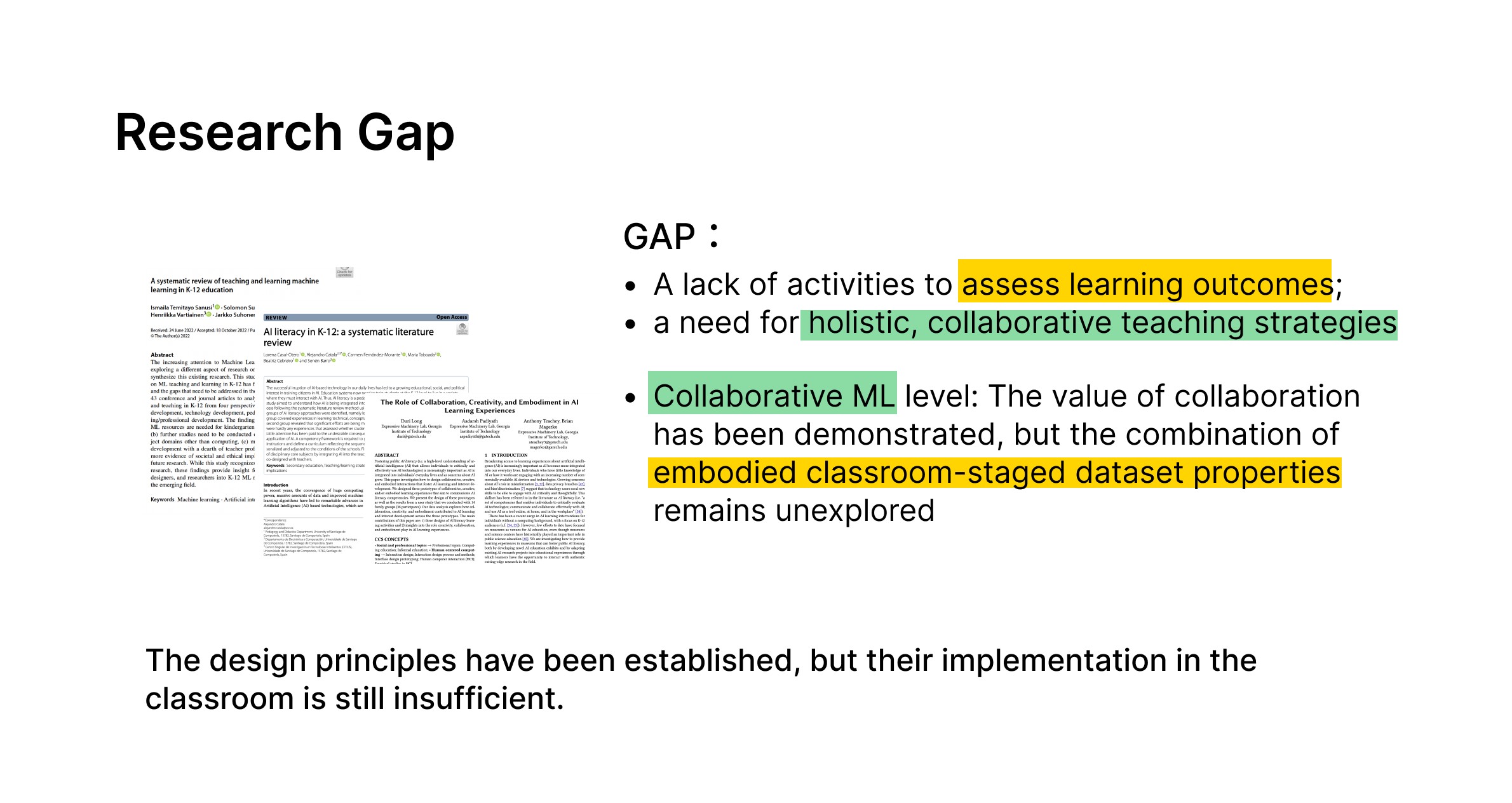
Research gap: the design principles for teaching machine learning to children are established, but classroom implementation is still insufficient. There is a lack of activities that assess learning outcomes, and the combination of embodied, classroom-staged dataset properties remains unexplored.
The literature gap sits alongside the product gap. Design principles for teaching machine learning to children are well established. What is missing is classroom implementation, activities that assess what was learned, and any study of collaborative, embodied work on the properties of a dataset.

Building on micro:bit rather than beside it.

The micro:bit is the reason the activity can be physical at all. It is already in classrooms, children have often met it before, and it carries an accelerometer, so a gesture becomes a data sample without anyone setting up equipment. Extending that platform, rather than building a new one, keeps the unfamiliar part of the lesson on the machine learning.

MoveML takes what CreateAI makes possible for one child and moves it to the whole room: a single shared model, trained by everyone at once, where variation, consistency and balance in the data stop being definitions and become things the class can watch happen.
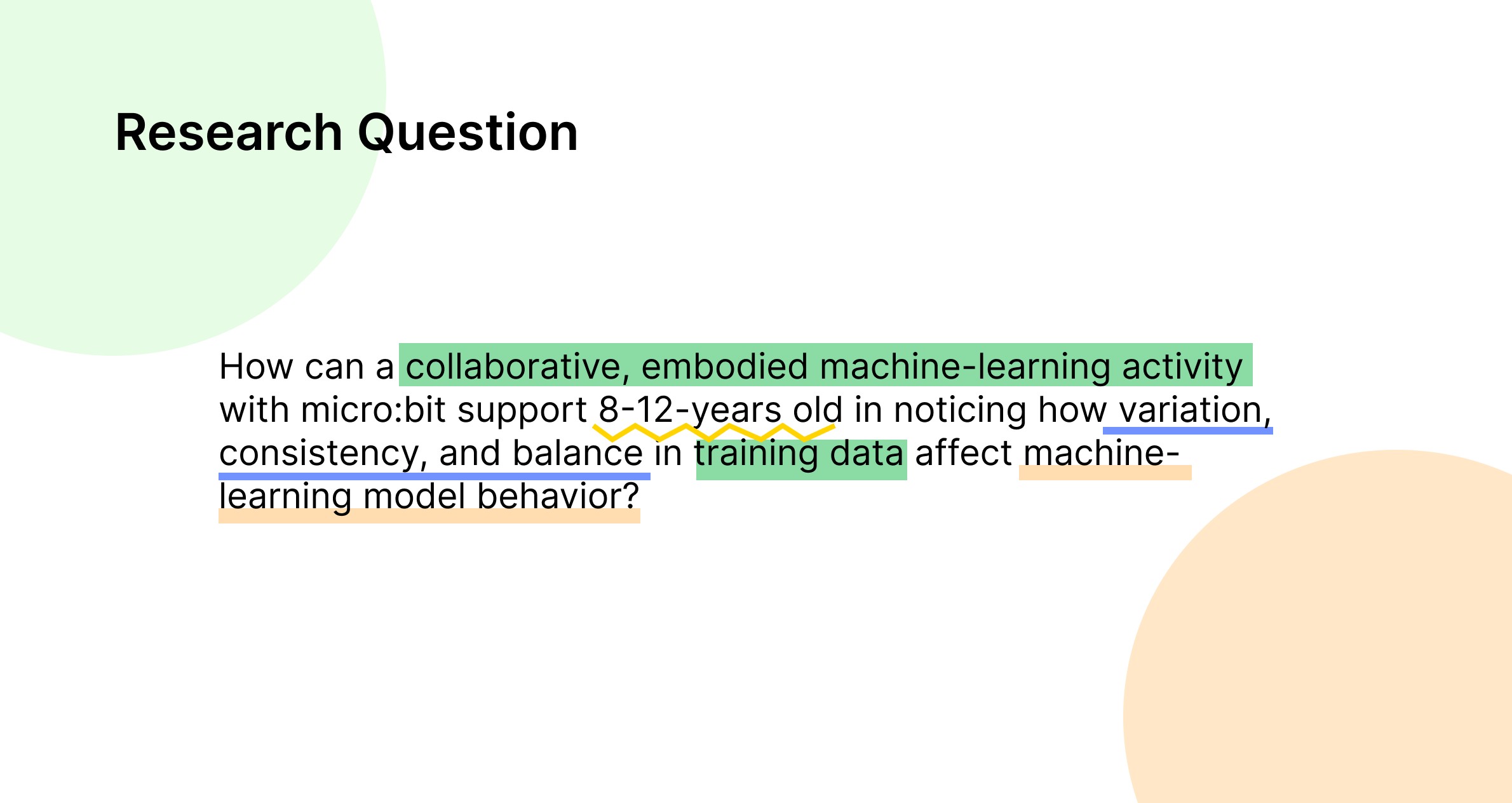
Research question: how can a collaborative, embodied machine-learning activity with micro:bit support 8 to 12 year olds in noticing how variation, consistency and balance in training data affect machine-learning model behaviour?
The question the classroom activity was built to answer.
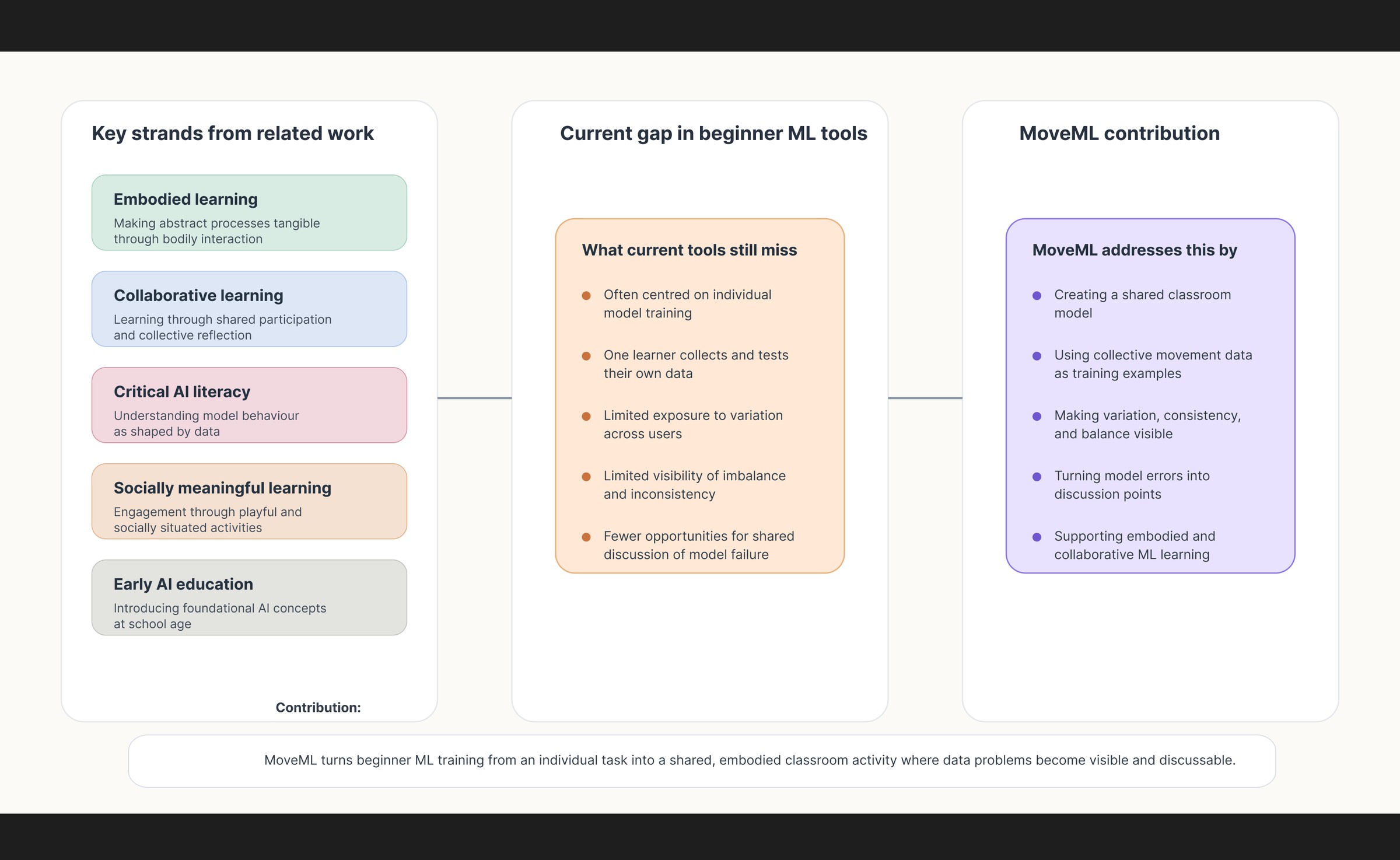
From related work to MoveML's design contribution: five strands of prior work, which are embodied learning, collaborative learning, critical AI literacy, socially meaningful learning and early AI education, set against what beginner ML tools still miss, and what MoveML adds.
Embodied learning, collaborative learning and critical AI literacy are each well established. What was missing was an activity that used all three at once, in a classroom, on a dataset the children could see themselves in.

01 / The experience

One classroom.
One shared model.

The design challenge was to make training data tangible: something children could create, compare and question together. A session ran three rounds of the same loop, about ten minutes each.
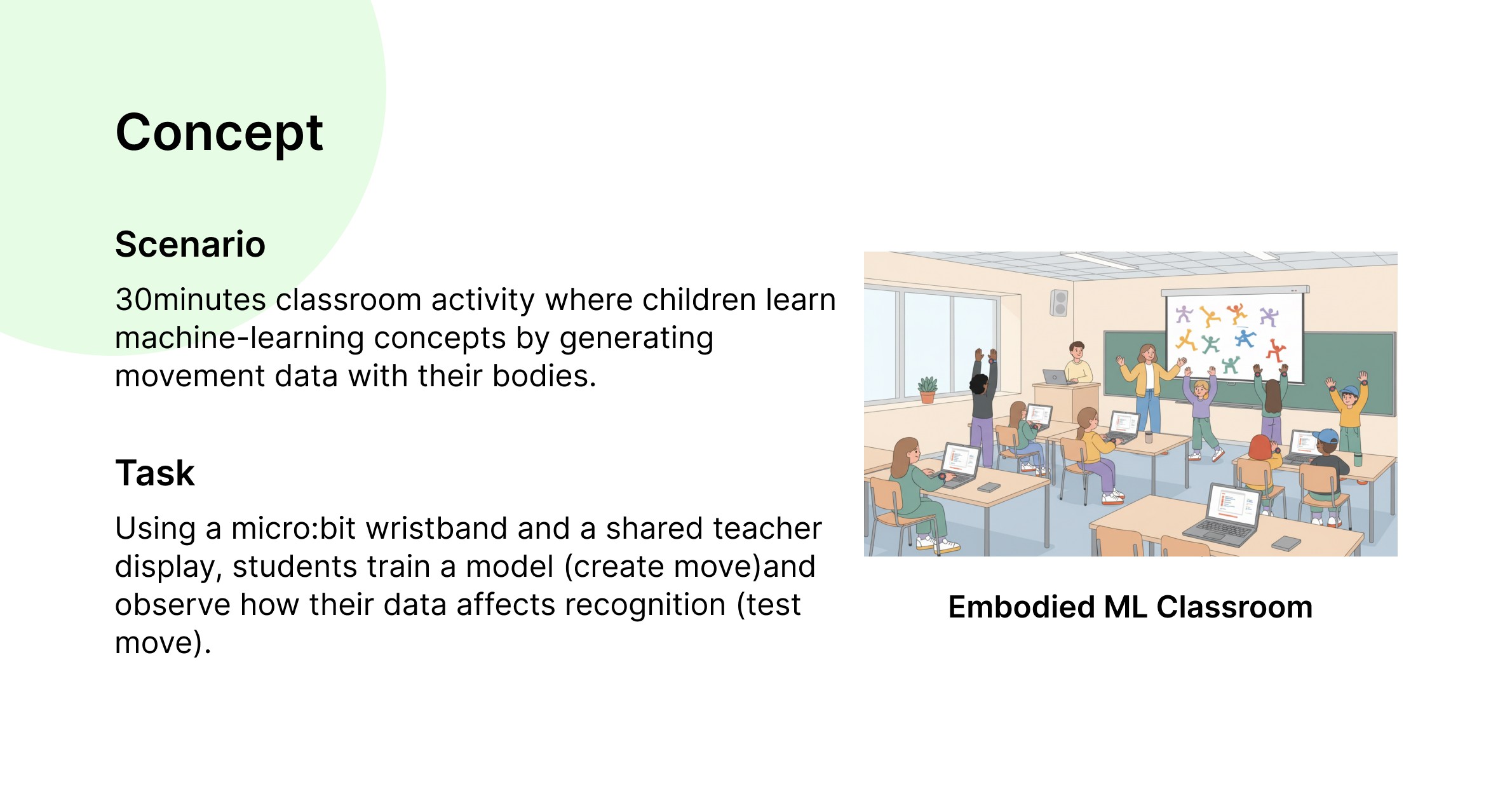
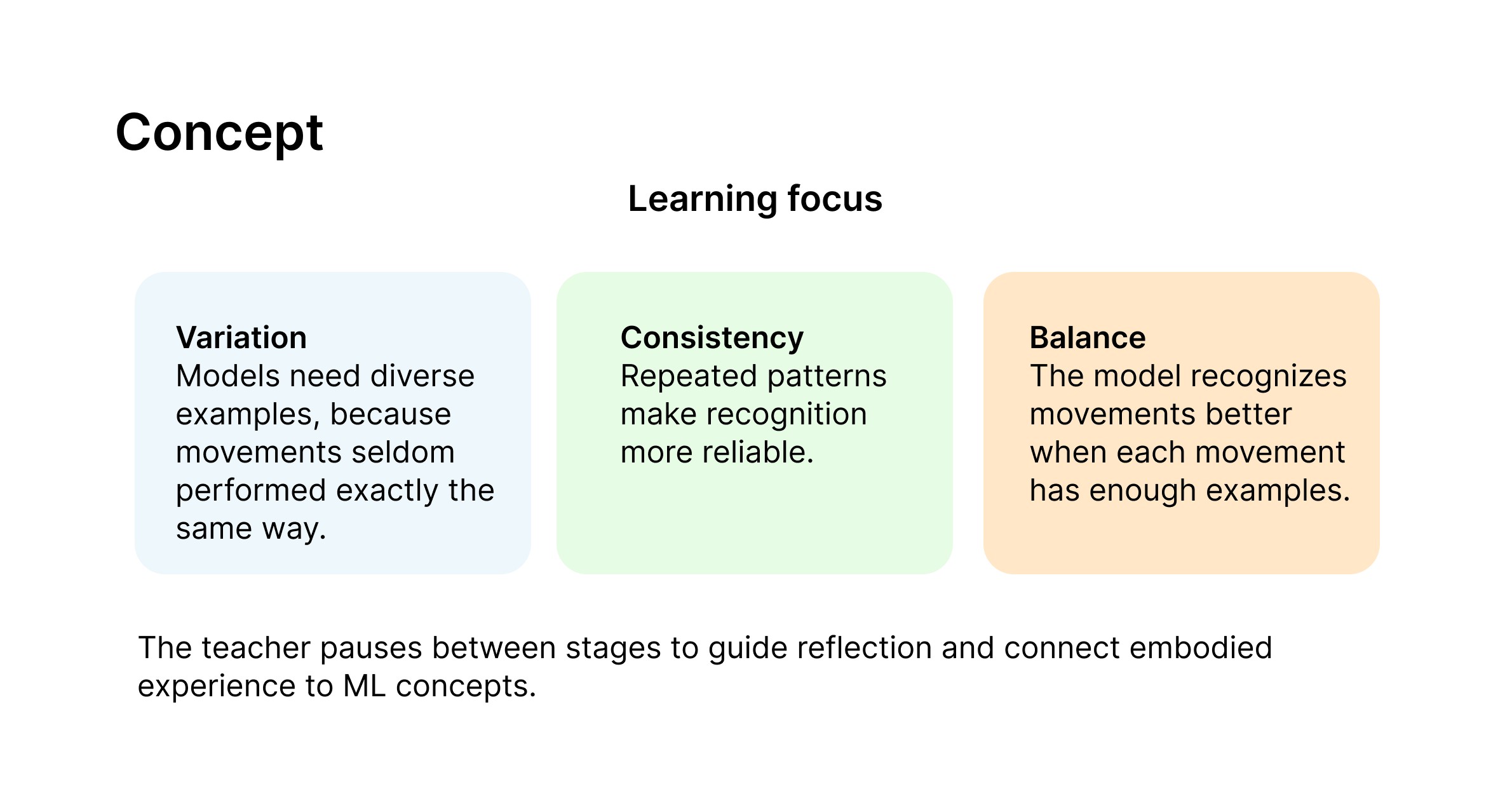
Concept: a thirty minute classroom activity in which children learn machine-learning concepts by generating movement data with their bodies. Using a micro:bit wristband and a shared teacher display, students train a model by creating moves and observe how their data affects recognition by testing moves.
The activity is thirty minutes long. Children generate the training data with their own bodies, then watch what the model does with it.
Learning focus across the three rounds. Variation: models need diverse examples, because movements are seldom performed exactly the same way. Consistency: repeated patterns make recognition more reliable. Balance: the model recognises movements better when each movement has enough examples. The teacher pauses between stages to guide reflection and connect the embodied experience to machine-learning concepts.
One property per round, with a teacher pause between stages to connect what just happened to the concept behind it.
  1. 01

    Move & record

    A wrist-worn micro:bit captures movement. Children contribute labelled gesture samples.

  2. 02

    Train together

    The teacher coordinates collection and trains one model using the class’s shared dataset.

  3. 03

    Test & discuss

    The class tries the model, observes its mistakes and considers what needs to change in the data.

The activity

Three rounds, three things to notice.

Each round of the session was built to surface one property of training data through experience rather than explanation. The concepts were never named in advance.

01

Variation

Each child invents a movement and records three samples of it. The model is trained, and the class tries someone else’s gesture. It fails, because the model has only ever seen one person perform it, one way.

02

Consistency

Everyone records the same movement ten times. Recognition improves immediately, and the class can say why: the model has now seen many versions of the same thing.

03

Balance

That shared gesture now dominates the dataset. The model starts predicting it for almost everything, until the children even out the distribution themselves.

System concept: individual movement samples feed a shared model, with the teacher coordinating training and reflection.
Storyboard of the classroom activity, setting out the session flow: setup, joining, collecting gestures, training the shared model, noticing a wrong prediction, and reflecting before the next round.

Why we moved on from DanceCode

The earlier concept combined dance and coding, but hardware constraints and overlap with existing tools weakened its purpose. The project was reframed around a more specific question: how could collective movement make variation, consistency and balance in training data visible?

The final platform carried forward the earlier research on engagement and personalisation, while changing the learning activity itself.

DanceCode, the abandoned first concept: children unlocked dance moves the system recognised. Team prototype, shown here as process documentation.

02 / Interface as translation

Two roles need
two different answers.

I treated role separation as an information-architecture decision. Students need a clear next action; teachers need to understand and coordinate the whole session.

Student

“What should I do now?”

Onboarding establishes identity. Gesture cards and progress indicators turn recording into a concrete task, helping children connect their actions to samples.

Teacher

“What is happening in class?”

Connected students, sample counts, training state and predictions support decisions about when to move the activity forward.

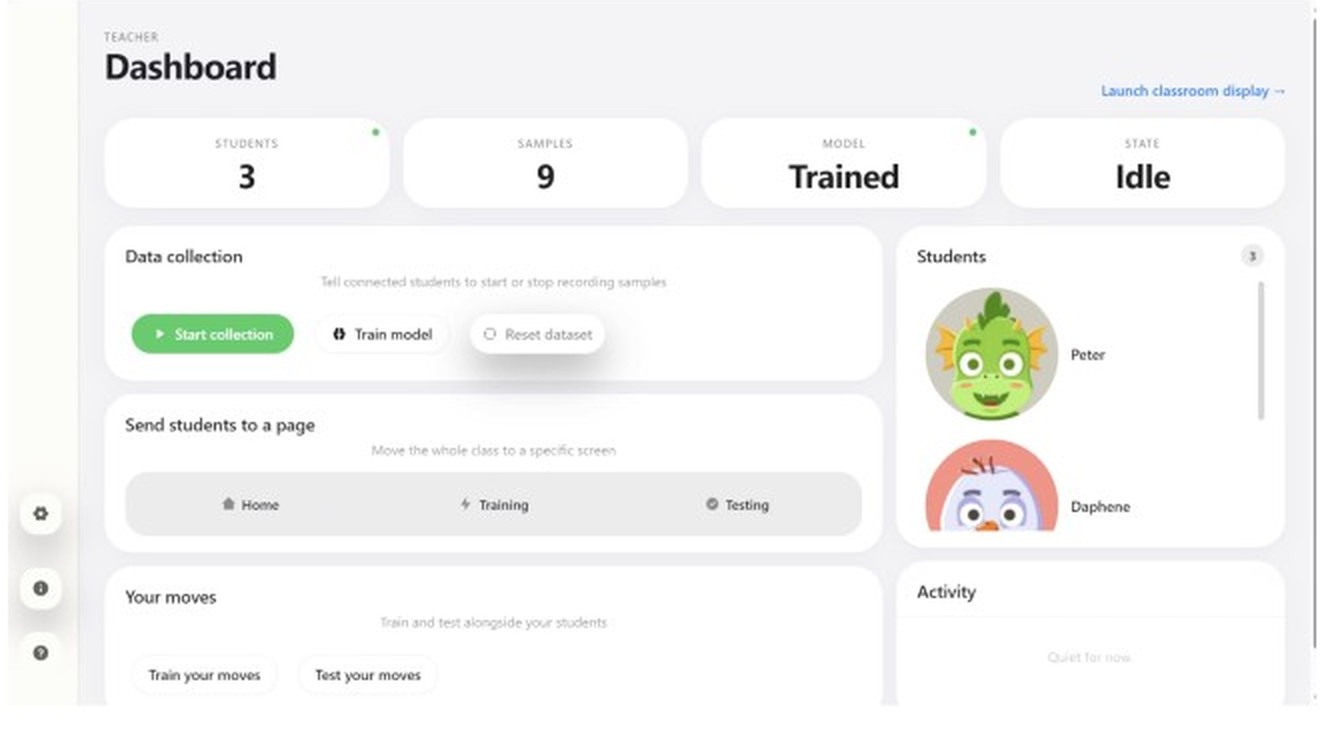
Teacher setup: connected students are visible before data collection begins.
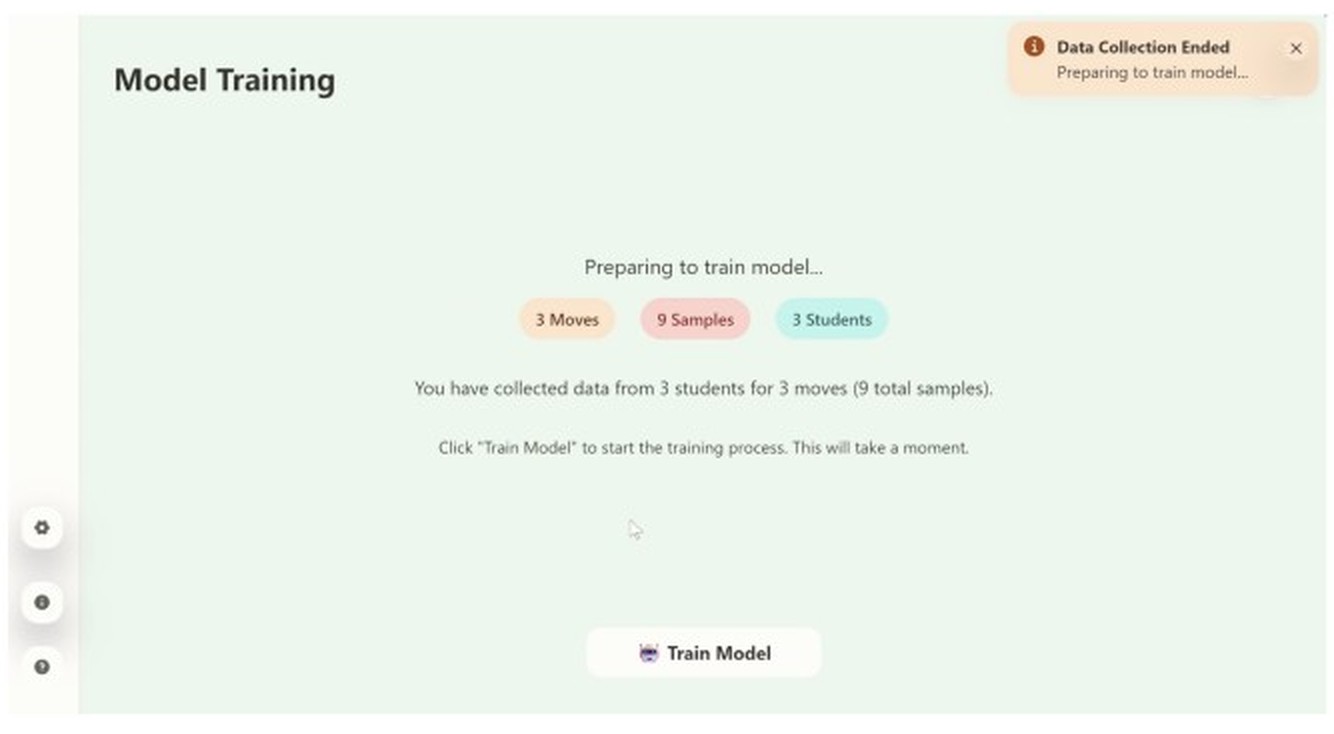
Before training: the shared screen makes the number of moves, samples and contributing students visible.

A closer look / collection states

Make each sample count.

The prototype’s progress card connects a gesture name, sample target and completion state. Try the state change below to see how that relationship becomes visible.

Interactive explanation adapted from the original progress-card components, using illustrative data. Recording clarity still needed improvement in the evaluated prototype.

WaveCollecting
1 / 3

1 sample collected. 2 more to reach the target.

The collection screen and session controls

Gesture cards expose collection progress. The available source is small; a higher-resolution original is needed.
The teacher chooses how many samples to collect before the activity starts.

Prototype

The two views, as built.

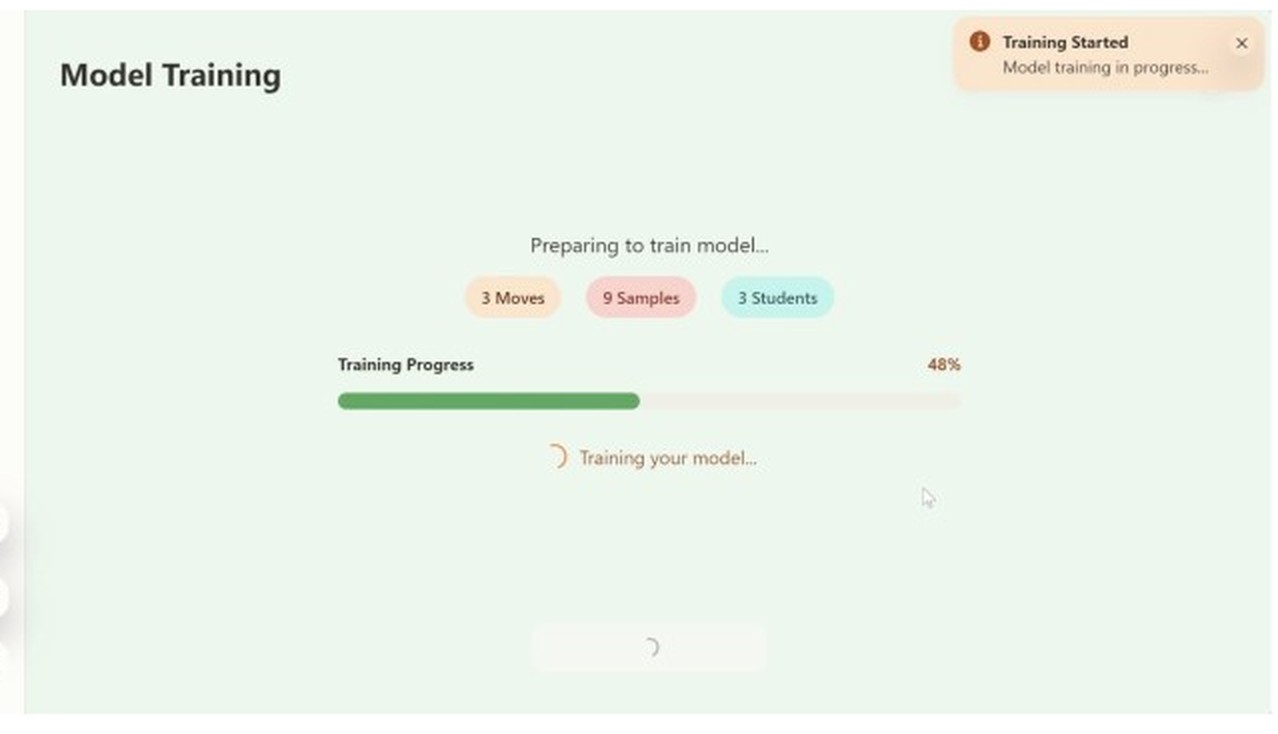
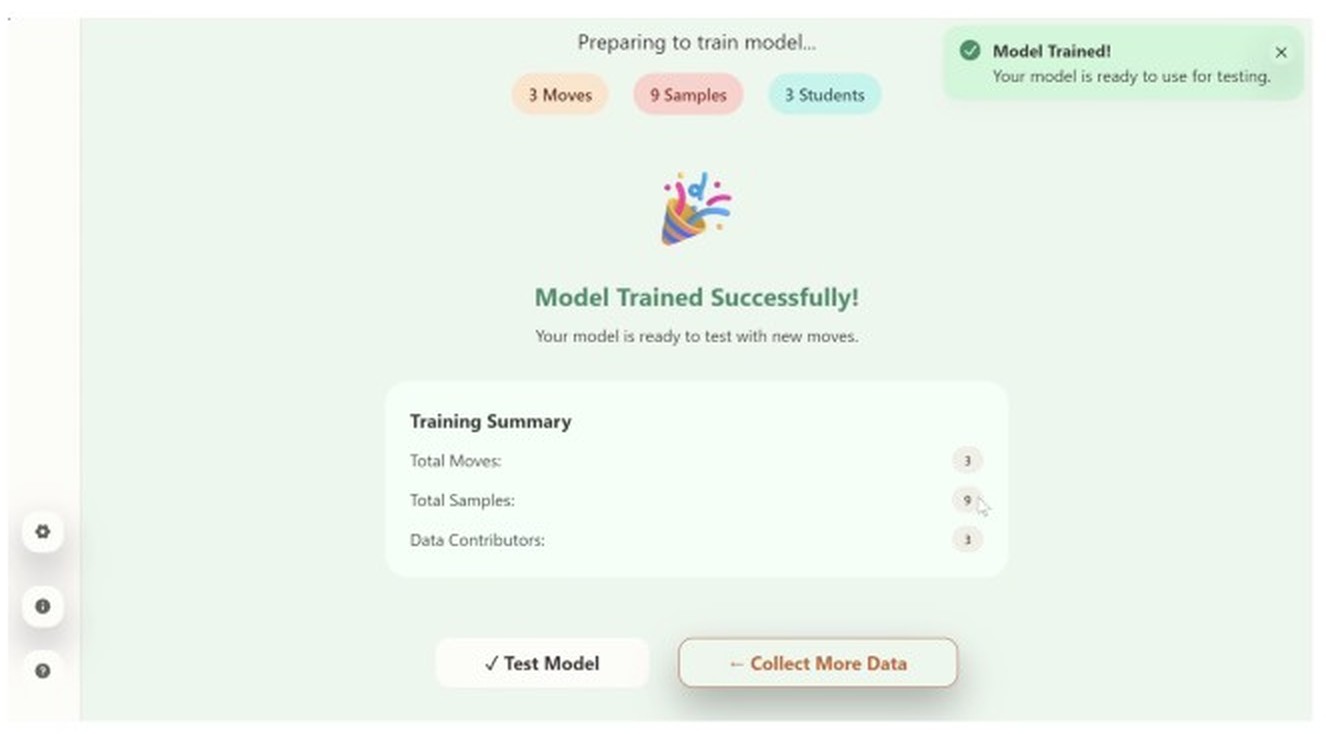
Teacher screen: data collection has ended, showing three moves, nine samples and three students, with a Train Model button.Teacher screen: training in progress, with a progress bar at 48 per cent.Teacher screen: model trained successfully, with a training summary of total moves, total samples and data contributors, and buttons to test the model or collect more data.
The teacher view through training. The class can see how many moves, samples and contributors went in, which is the number that matters when a prediction later goes wrong.
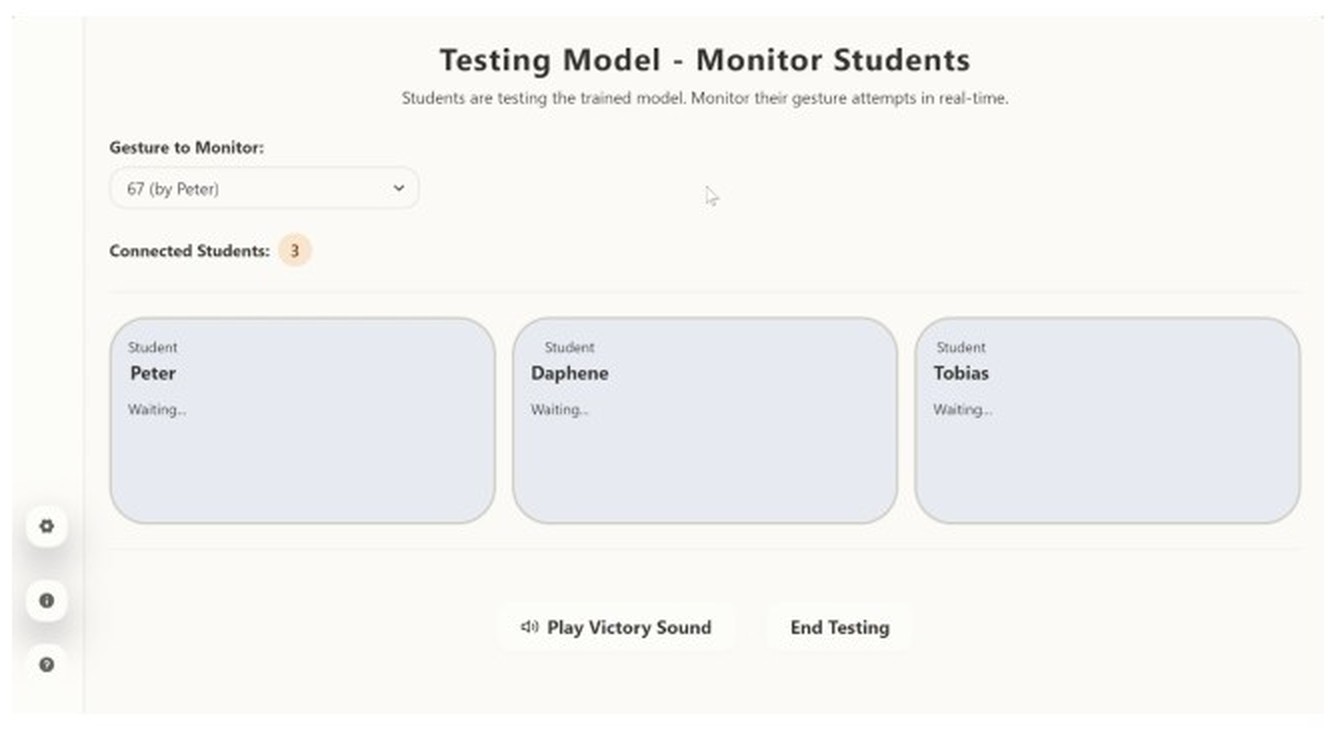
Teacher screen: testing the model and monitoring students, listing each connected student and their gesture attempts in real time.Teacher dashboard: counts for students, samples and model state, with controls for data collection, sending the class to a page, and the teacher’s own moves.
Monitoring and the dashboard. The teacher can watch attempts as they happen and move the whole class to a screen without asking them to navigate.
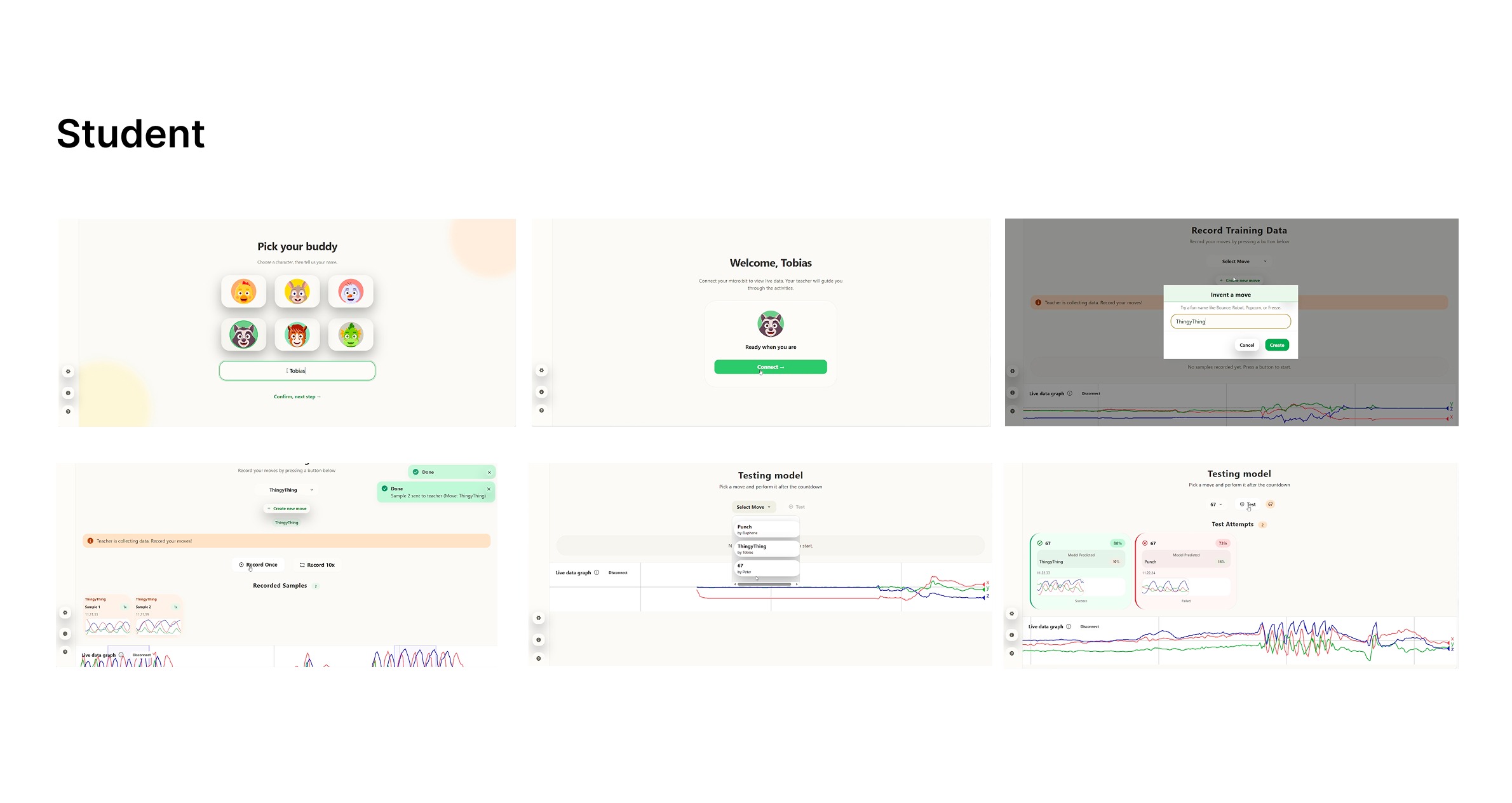
Prototype, student view: six screens covering joining a session, naming a gesture, collecting samples, waiting for training and testing a movement against the shared model.
The student screens, which run on each child's own device beside the wristband.
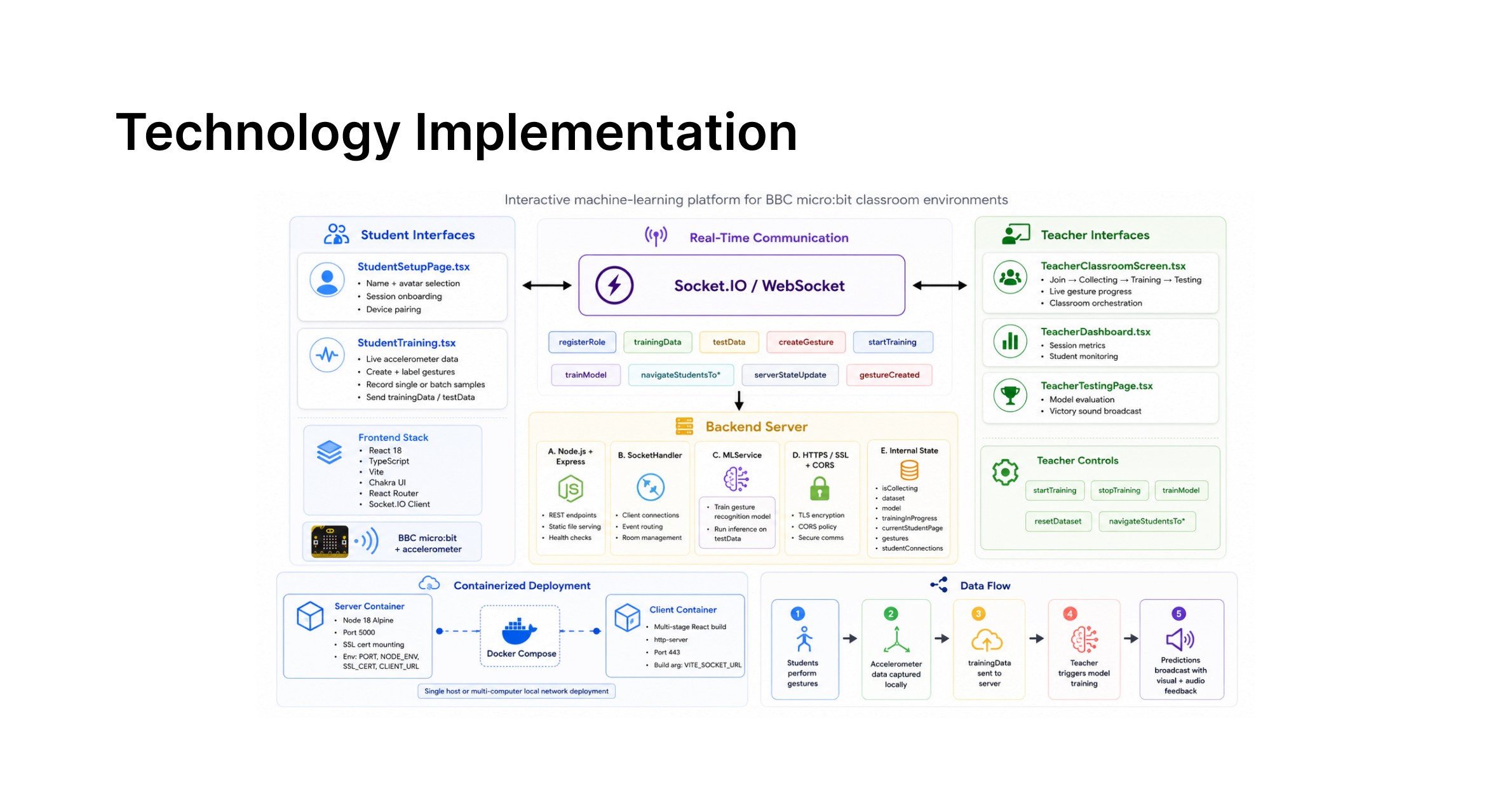
Technology implementation: micro:bit wristbands stream accelerometer data to a browser-based application, which trains a shared model on the collected samples and returns predictions to the teacher display and the student devices.
How the parts connect. The wristband sends accelerometer data, the browser application holds the shared model, and predictions return to both the teacher display and the children's own screens.

03 / A key design decision

Make failure
something to discuss.

A wrong prediction can reveal the relationship between a model and its data. I kept model state and prediction outcomes visible so the teacher could use them as shared material for reflection.

Teacher testing view: successful, failed and waiting states remain visible together. Prototype interface values are illustrative, not evaluation metrics.

Observed during evaluation

The model kept choosing the gesture
with the most samples.

Once every group had recorded ten samples of the same shared movement, it stood at roughly forty samples while the earlier individual gestures had three each. The model then predicted the dominant class regardless of what was performed. Students noticed this themselves and explained it.

These explanations mattered more to me than a correct prediction: children were beginning to reason about the data behind the output.

04 / Evidence & limits

Promising observations.
Specific limitations.

The high-fidelity prototype was evaluated in a classroom at Aarhus University.
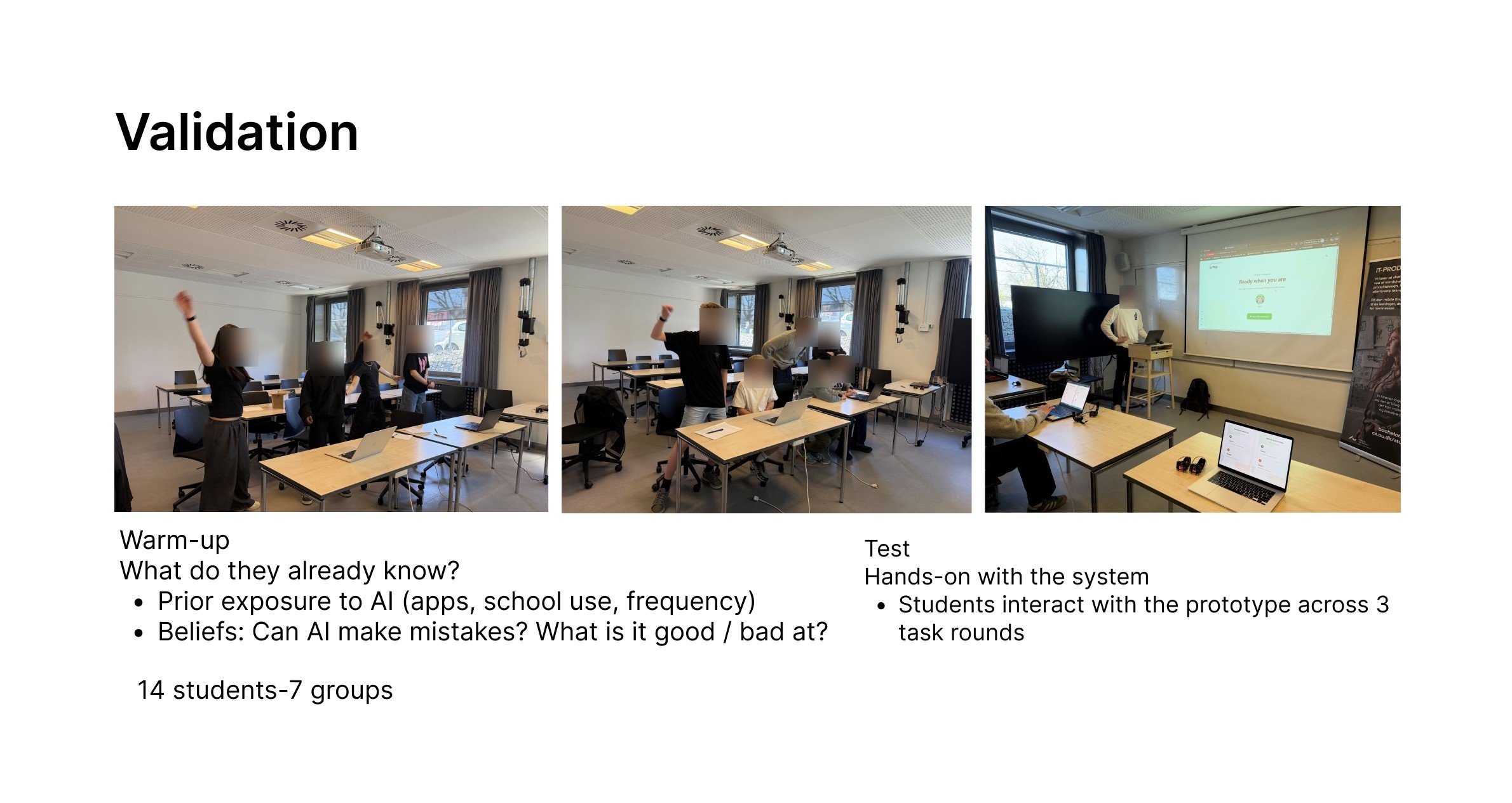
Validation: three photographs of the classroom sessions, with the protocol. A warm-up established what the children already knew about AI, then they tested the system across three task rounds. Fourteen students in seven groups.
Each session opened with a warm-up on what the children already believed about AI, including whether it can make mistakes and what it is good and bad at, before three rounds with the prototype.
14sixth-grade participants
3sessions, with different groups
~50 minper session, working in pairs

What the study suggested

Children connected errors to data.

Discussion revealed emerging explanations of sample imbalance and movement variation. Physical activity also sustained participation across the sessions.

Where the interaction broke down

Recording was not clear enough.

Some students could not tell when to move or when recording had started. Setup needed facilitator help; a countdown sound was one participant’s suggestion.

What remains uncertain

Engagement is not a learning score.

The study was small and researcher-facilitated. Some children struggled with the UEQ wording, so I treated those scores as supplementary evidence, not proof of learning gains.

Methods and interpretation

The study used observation, semi-structured discussion and the User Experience Questionnaire. Each session included a warm-up, three rounds of collecting, training and testing, then reflection. There were six children in one session and four in each of the other two.

The intended audience was ages 8–12; the evaluated participants were sixth-graders, approximately 12. These sessions do not establish outcomes for the full age range or for independent teacher-led use.
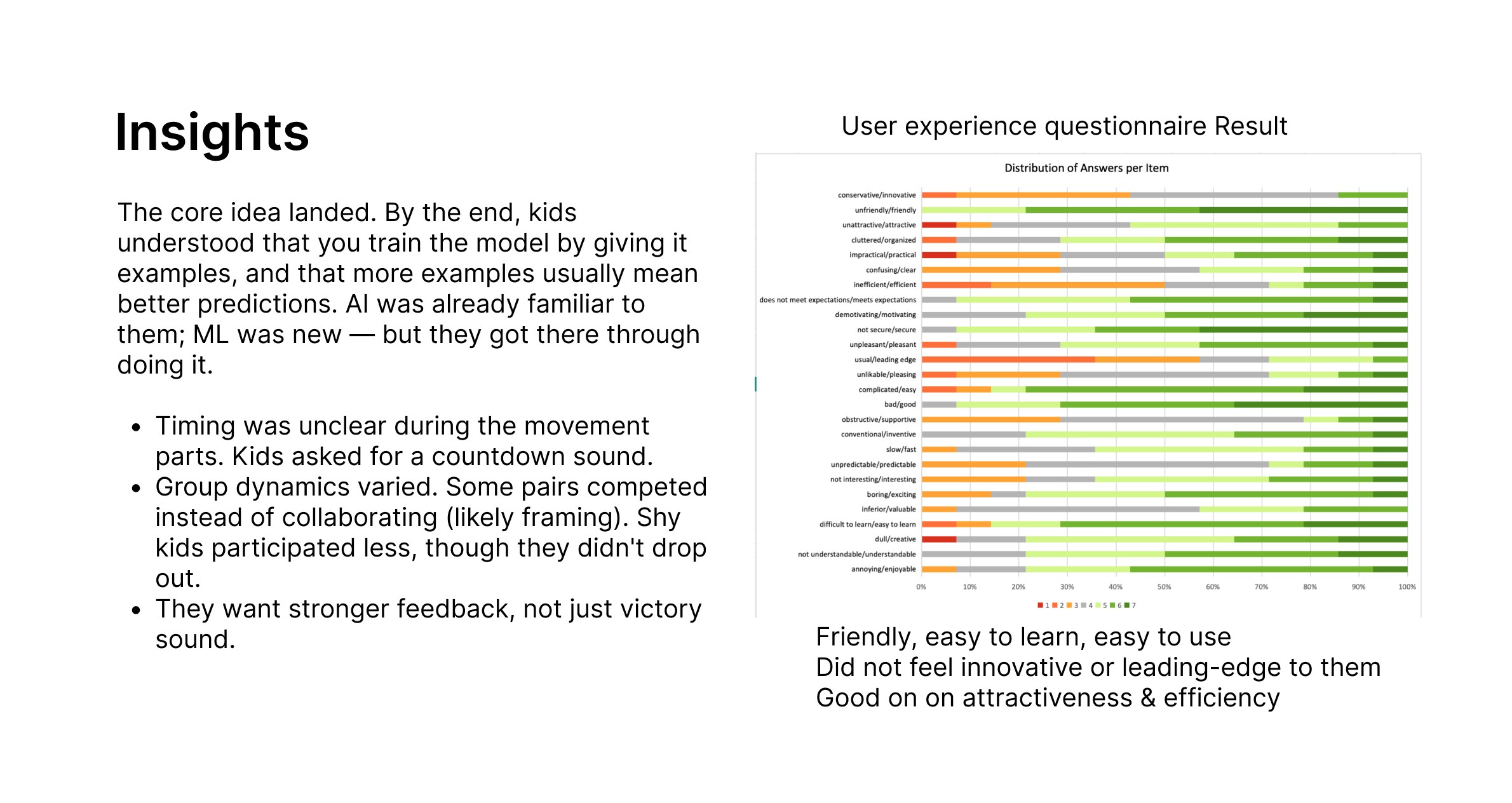
Insights: children understood by the end that you train a model by giving it examples, and that more examples usually mean better predictions. Timing during the movement parts was unclear and they asked for a countdown sound; group dynamics varied, with some pairs competing rather than collaborating; they wanted stronger feedback than a victory sound. Alongside, the User Experience Questionnaire result across all item pairs.
What the sessions surfaced, with the User Experience Questionnaire result across all 26 item pairs. Ratings were strongest on friendliness, clarity and ease of learning, and weakest on novelty and leading edge.

I read the lower novelty scores as a question about the interface rather than the activity: what is new in MoveML is the shared dataset and the classroom structure around it, which a questionnaire about an interface does not reach. Words such as conservative and innovative also asked a lot of eleven- and twelve-year-olds.

05 / Individual follow-up concept

Animal Buddies.
Identity beyond an avatar.

Children invested attention in choosing avatars, but those identities had little role afterwards. Feedback on the bare wristband suggested an opportunity to connect the physical and digital experience.
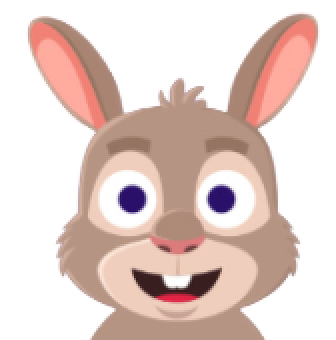
  • Student avatar option 1
  • Student avatar option 2
  • Student avatar option 3
  • Student avatar option 4
  • Student avatar option 5
  • Student avatar option 6

The avatar assets in the supplied source build. (The course report describes eight options at the time of the study.) The next question was how these identities could stay meaningful beyond onboarding.

Animal Buddies concept board: animal characters surrounding a visible micro:bit. Proposed after evaluation; not user-tested.
Proposal / not evaluated

Make personalisation part of participation.

A family of animal wearables could connect a child’s on-screen identity to the device they wear and the samples they contribute.

The design has practical constraints: the display and buttons must remain accessible, the battery must be stable, and the case and strap must accommodate different wrists.

Light, sound or display feedback could make recording and prediction more tangible. These are directions for a future iteration, not tested features of the concept.

The concept board is preserved at its available quality. A higher-resolution design source is needed for larger presentation.

Wristband constraints and references

Original exploration board: wristband fit, micro:bit access and reference products. Reference products are not claimed as my designs.

06 / Reflection

The interaction structure
is my responsibility, too.

01

Understand the system to explain it.

Making the model legible required understanding training data and prediction failures. Visual clarity depended on that conceptual understanding.

02

Apply visibility consistently.

Model state was visible, but recording time was not communicated well enough. Explicit timing and multimodal feedback would be priorities in the next iteration.

03

Design collaboration into the activity.

The interface still repeated a single-user flow. Pair work and facilitation created much of the collaboration. A future design should support shared roles and participation directly.

I came to see the interface as one contribution within a larger learning experience, one that only works when the physical device, the model and classroom facilitation work together.

Project documentation and credits

Edited from the project’s reflective and course reports, June 2026. Project screens are prototype documentation; Animal Buddies is a subsequent concept.

Advisors: Marianne Graves Petersen, Majken Kirkegaard Rasmussen, Mille Skovhus Lunding and Maja Dybboe.

Next project

LabBridge →

Project image

Scroll horizontally to explore on smaller screens.